

Retour aux Tutoriels
MAG Box
Follow these steps to set up the IPTV service on your MAG device.
6 étapes
Facile
~5 min
Guide Étape par Étape
Étape 1/6
1
Étape 1 sur 6
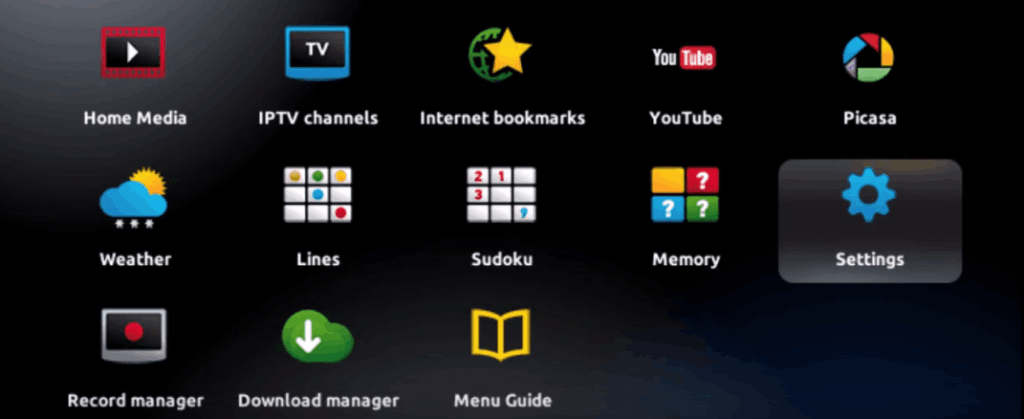
Connect Your MAG Device
Connect your MAG device to your TV via HDMI and power it on. Ensure it's connected to the internet.
Étape 2/6
2
Étape 2 sur 6
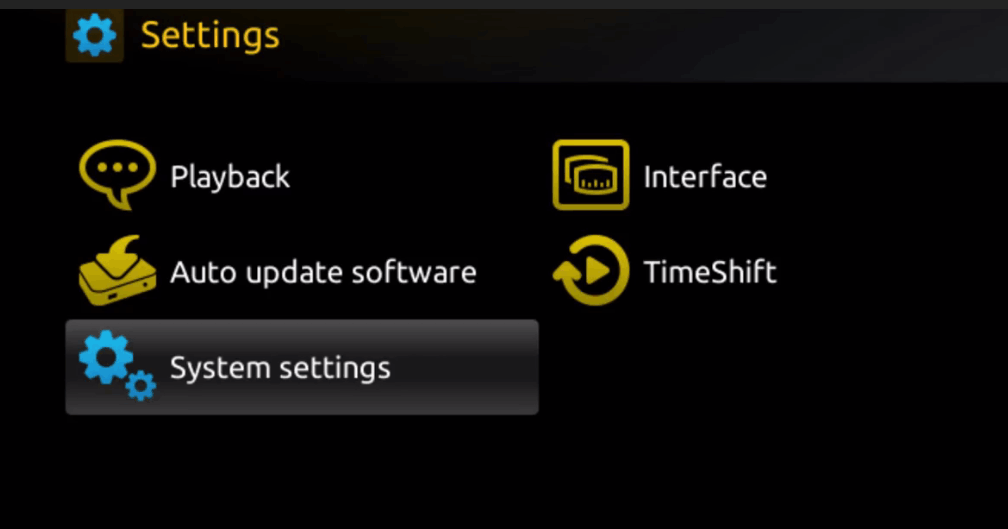
Access Settings
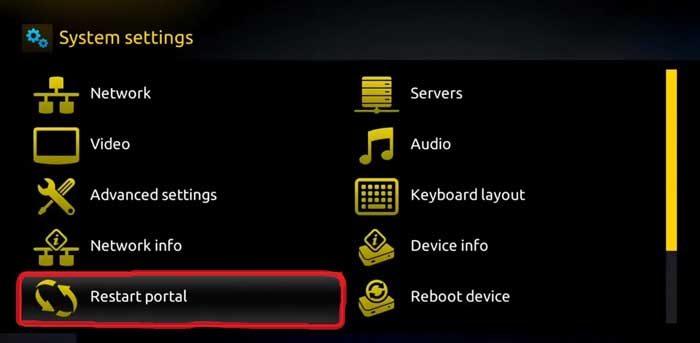
From the MAG portal, navigate to Settings > System Settings.
Étape 3/6
3
Étape 3 sur 6
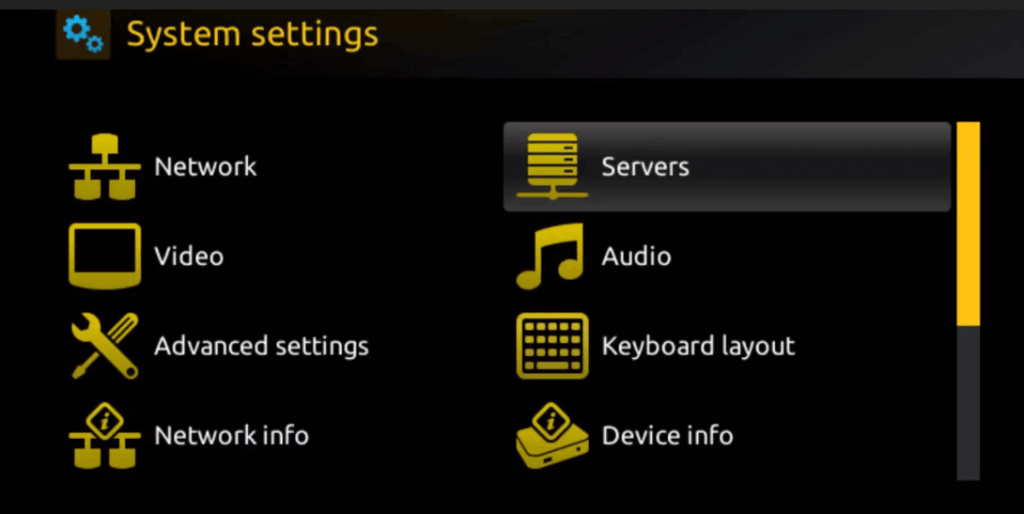
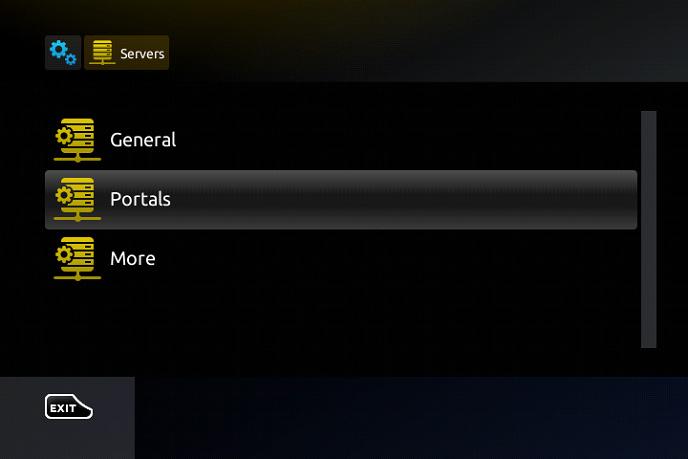
Open Portal Settings
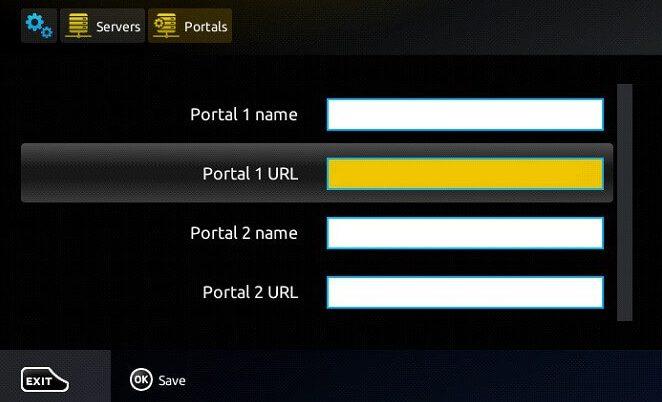
Go to Servers > Portals and select Portal 1.
Étape 4/6
4
Étape 4 sur 6
Enter Portal URL
Enter the portal URL provided in your welcome email in the Portal URL field.
Étape 5/6
5
Étape 5 sur 6
Save and Restart
Save the settings and restart the portal by going to Settings > Restart Portal.
Étape 6/6
6
Étape 6 sur 6
Start Watching
After the portal loads, you'll see all available channels and content. Enjoy!
Installation Terminée !
Votre MAG Box est configuré. Profitez de 20 000+ chaînes en qualité 4K et HD.

Besoin d'Aide ?
Vous avez des difficultés avec l'installation ? Notre équipe de support 24/7 est prête à vous aider. Contactez-nous à tout moment.